








Plugable Thunderbolt 3 Dock Compatible with MacBook and Windows with Thunderbolt 3, Charges Laptop, adds HDMI/DisplayPort up to 4K 60, Ethernet, 5 USB 3.0 Ports – Limited Stock Replaced by TBT3-UDZ

$622.20
- FEATURES – Provides up to 60W of power to compatible Thunderbolt 3 systems. Enables an additional display, wired Gigabit Ethernet, combination audio input/output, and USB expansion with 1x Thunderbolt 3 port (40Gbps), and 5x USB 3.0 ports (5Gbps)
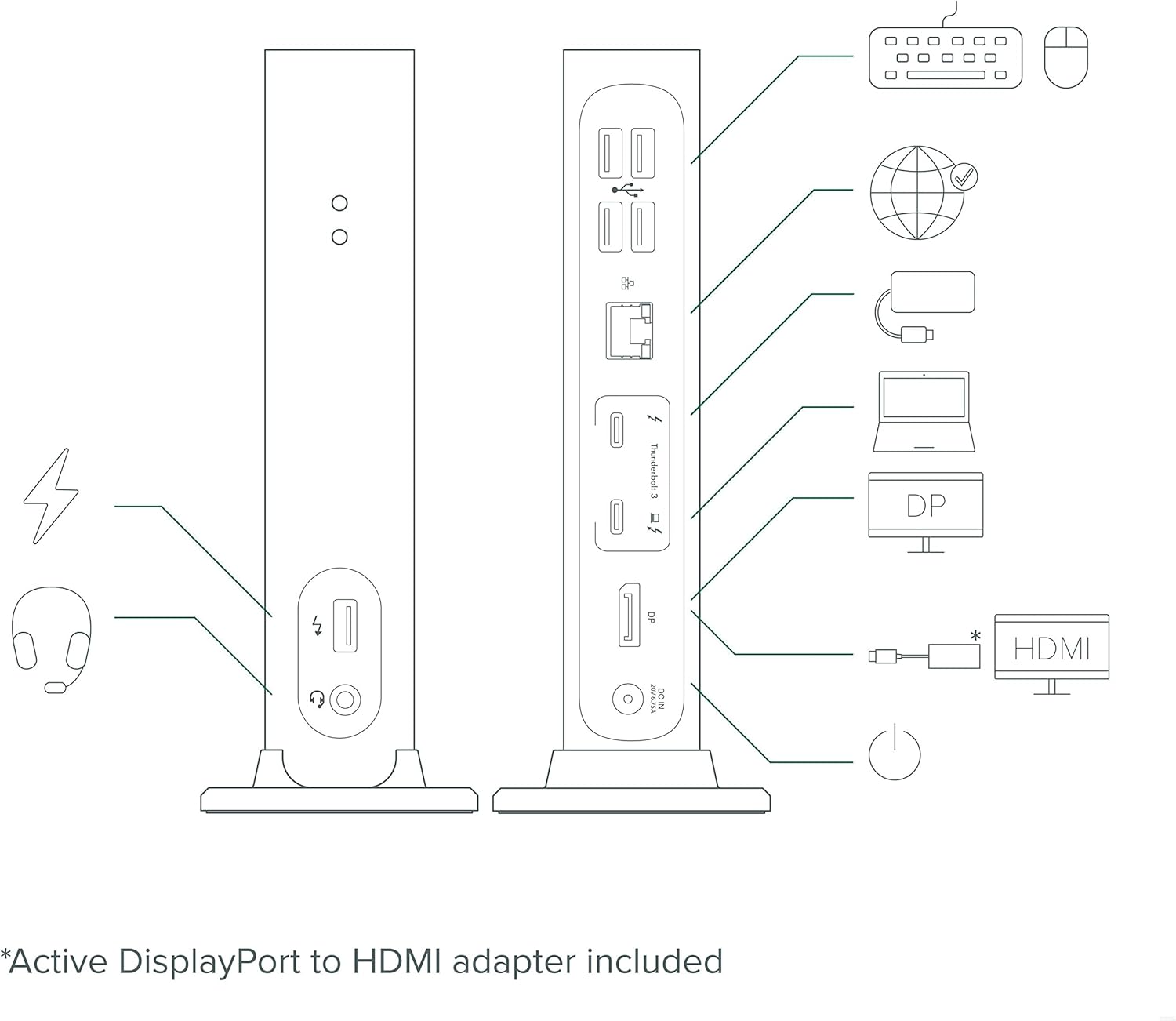
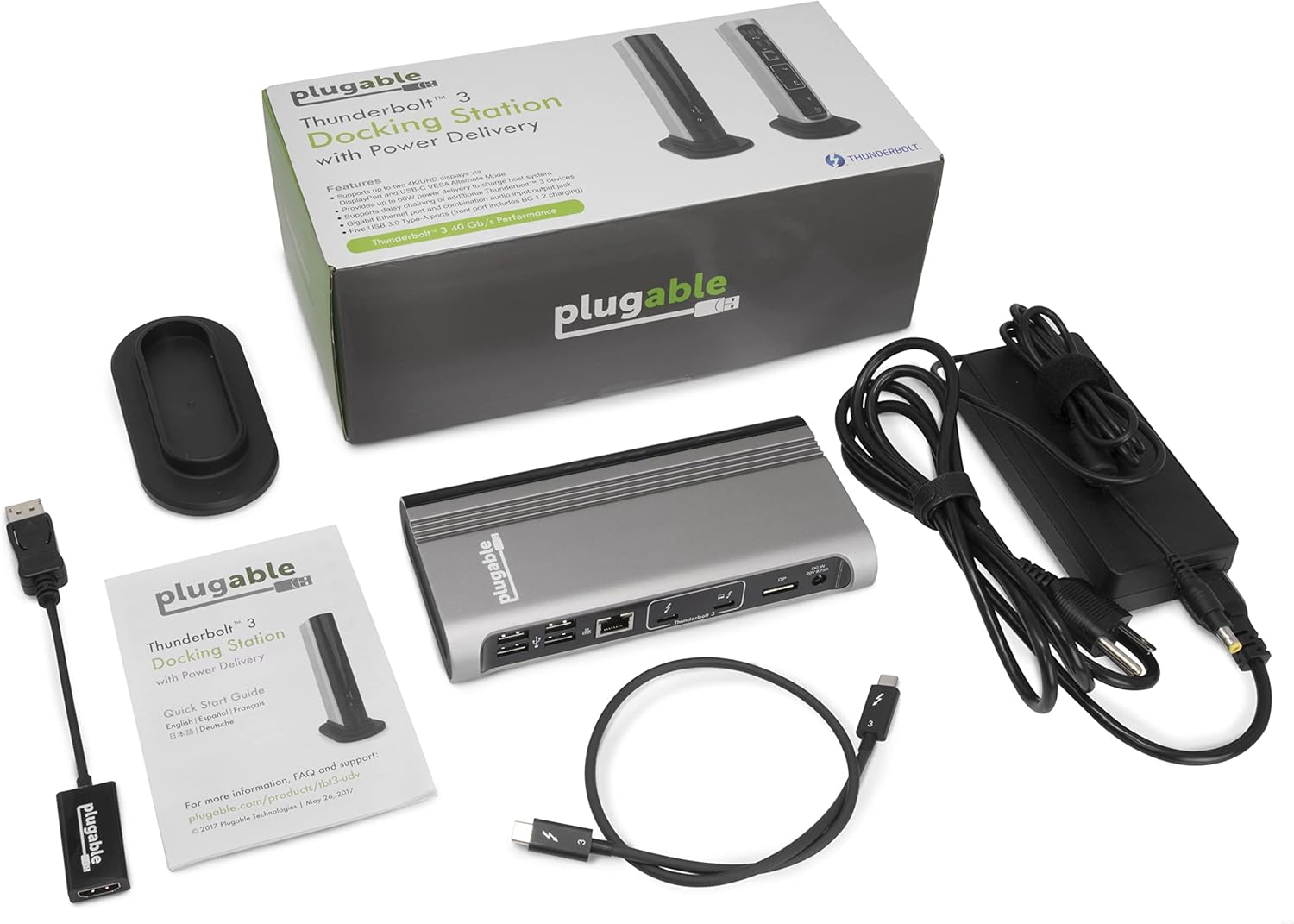
- CONNECTIVITY – Connect a single display up to 4K 60Hz via the integrated DisplayPort output, or an HDMI display using the included Active DisplayPort to HDMI 2.0 adapter. Also supports popular lower resolution modes such as 1920×1080 (1080p)
- EXPANDABILITY – The second Thunderbolt 3 port within the dock supports a second monitor when used in conjunction with a USB-C Alt Mode video adapter (sold separately) and a compatible host system. Port can also be used to connect USB-C devices
- COMPATIBILITY – Supports native DisplayPort or HDMI displays using included DP to HDMI Active Adapter. Not compatible with previous generation Thunderbolt 1 and 2 systems. Please see important compatibility details regarding Windows systems below
- 2 YEAR WARRANTY – We love our Plugable products, and hope you will too. All of our products are backed with a 2-year limited parts and labor warranty as well as Seattle-based email support
Product Description
Plugable’s Thunderbolt 3 Single Display Docking Station (TBT3-UDV) offers high-performance expansion of your Thunderbolt 3-enabled Mac or compatible Windows Thunderbolt 3 system while also providing up to 60W of power to charge the host. Connect a single display up to 4K 60Hz (4096×2160 @ 60Hz) via the integrated DisplayPort output, or an HDMI display using the included Active DisplayPort to HDMI adapter. Thunderbolt 3’s massive 40Gbps bandwidth enables you to run your high resolution display connected through the dock at the full native performance of your system’s graphics processor while also enabling access to your wired network and existing USB peripherals.
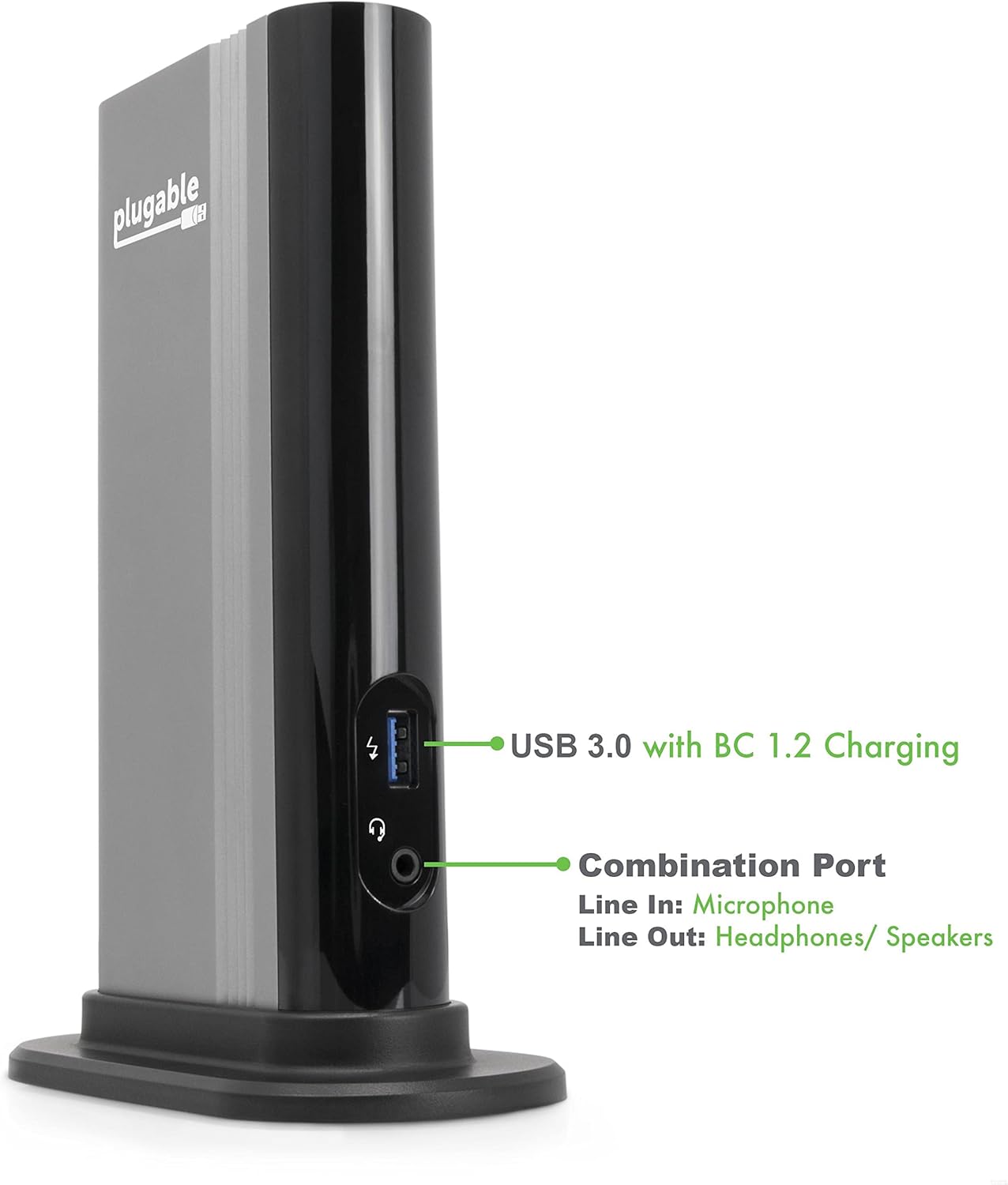
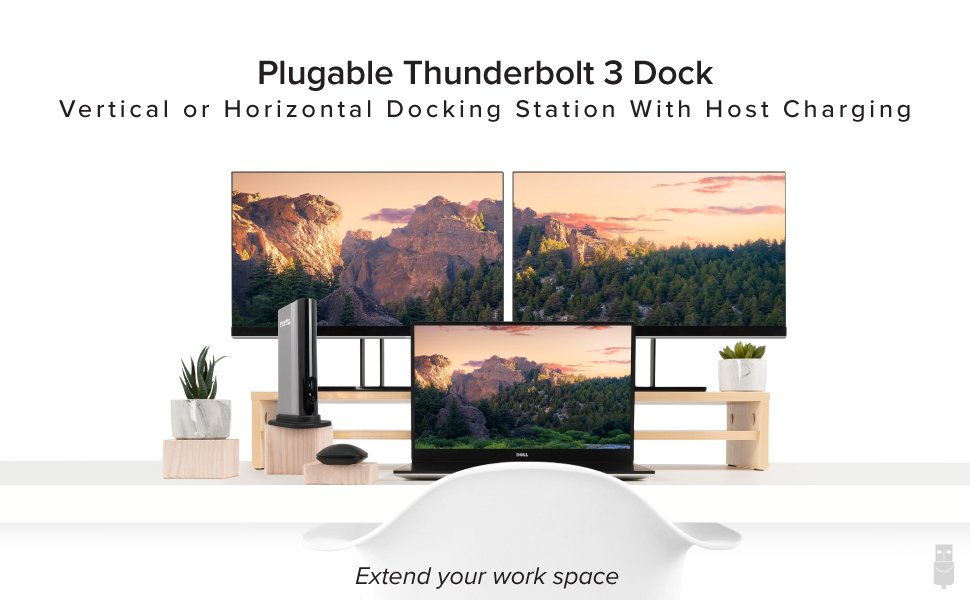
Supports connection to wired Gigabit Ethernet networks using the integrated Intel i210 network adapter and 10Gbps peer-to-peer networking when directly connected to a second Thunderbolt 3-enabled system. Provides a combined analog audio input and output jack for connecting stereo headphones or a combination headset with microphone. Provides five extra USB 3.0 (5Gbps) ports for device connectivity (one in front, four in back). Is positioned vertically to save space, and has a removable stand that also allows the unit to be placed horizontally.
Thunderbolt 3 compatibility is complex, and some features like PCI-E bandwidth, support for 2 displays over Thunderbolt 3, and the necessary firmware updates for docking compatibility (BIOS and NVM) are system-specific. Apple and Dell Thunderbolt 3 systems are currently the best-performing, best-supported systems with this docking station. Please see the “Specification Sheet.pdf” document under the “Technical Specification” section below for a more detailed compatibility list.
For details on supported monitor configurations and what components are needed to add a second display, and non-Apple and Dell compatibility, please see additional details below. The dock can provide up to 60W of power to charge the host system, assuming the system supports being charged via its Thunderbolt 3 port. Windows systems require updated NVM firmware, system BIOS, and Thunderbolt/GPU drivers from the system manufacturer (Apple systems provide this automatically). The ability to add a second display depends on design decisions made by your system manufacturer and requires additional hardware, sold separately. Some Thunderbolt 3 systems support a maximum of 20Gbps Thunderbolt 3 bandwidth. The docking station will not function if attached to a non-Thunderbolt 3 capable USB-C port.

System Requirements
Compatible with Apple and Dell systems which have Thunderbolt 3 support. Other brand Thunderbolt 3 systems may work but not support all of the functionality of the dock. Please see important details regarding system compatibility, frequently asked questions and more below.
Compatibility Information
Thunderbolt 3 is powerful technology, and system manufacturers have discretion how they implement various elements and features. As a result, compatibility information is complex and some available Thunderbolt 3 systems do not support all the features offered by this docking station.
Some systems support a second display using a USB-C video adapter or cable, sold separately. To support a second display via the dock, the system manufacturer must have routed two DisplayPort lines to the Thunderbolt 3 port. Currently all Thunderbolt 3 systems from Apple using Intel processors and Dell meet this requirement, and implementation from other manufacturers varies. ** Apple systems with an Apple M1 processor support only one display **
Requires updated system BIOS, Thunderbolt 3 driver, Thunderbolt 3 NVM firmware and graphics (GPU) driver from system manufacturer.
If you have a Thunderbolt 3 host system which supports two video outputs, a separate purchase of one of the following Plugable adapter models is required: USBC-DP, USBC-HDMI, USBC-DVI, USBC-VGA Please see the FAQ section below for more information.

|

|

|

|
|
|---|---|---|---|---|
|
TBT3-UDV |
TBT3-UDC3 |
TBT3-UDZ |
TBT4-HUB3C |
|
| Designed for both Thunderbolt 3 and USB-C | Thunderbolt 3 and USB-C | Thunderbolt 3 and USB-C | Thunderbolt 3 and USB-C | Thunderbolt 4, USB4, USB-C, and more* |
| Power Delivery to host | 60W | 100W (96W Certified) | 100W (96W Certified) | 60W to host and 15W for each attached device |
| Number of displays supported | 2 (with separate adapter) | 2 (4K 60Hz displays via Thunderbolt 3) or 2 (1080p 60Hz or single 4K 30Hz display via USB-C.) | 2 (4k 60Hz displays via Thunderbolt 3) or 2 (1080p 60Hz displays via USB-C) | 2x 4K or 1x 8K (1x USB-C HDMI 2.0 adapter included) |
| Video output types | 1x DisplayPort, 1x Thunderbolt 3 output (with separate adapter) | 1x HDMI, 1x DisplayPort (or second HDMI with included adapter) | 2x DisplayPort or HDMI | 3x Thunderbolt USB-C ports (1x USB-C to HDMI adapter included) |
| Includes DisplayPort to HDMI adapter? | ✓ |
✓ |
– | – |
| DisplayPort adapters support (e.g., DP to HDMI adapter) | Only supports ACTIVE adapters | Only supports ACTIVE adapters | – | – |
| Orientation | Vertical or Horizontal | Horizontal | Vertical or Horizontal | Horizontal |
Product information |
||||||||||||||||||||||||||||||
|
| Weight | 0.91 lbs |
|---|
Only logged in customers who have purchased this product may leave a review.
Related Products


Laptop Docking Stations
Targus USB-C Hub for Laptop Docking Station, Universal Quad HD Docking Station (DOCK520USZ)


Reviews
There are no reviews yet.